Smart Streetlamp
A smart streetlamp that can automatically adjusts brightness levels to conserve power.
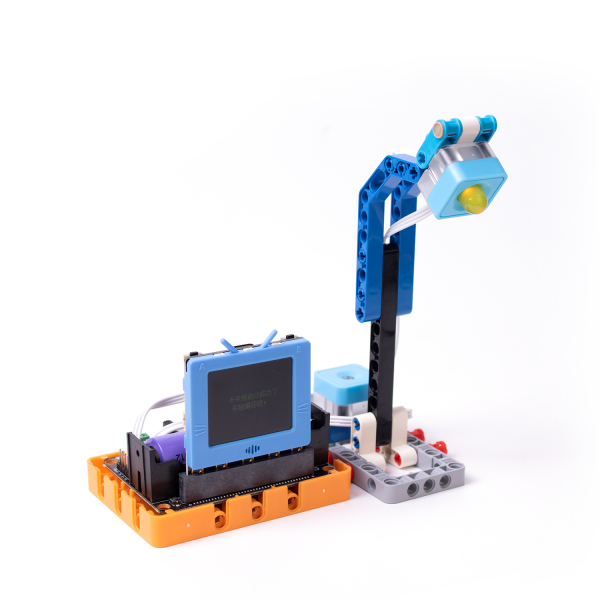
Building Instructions
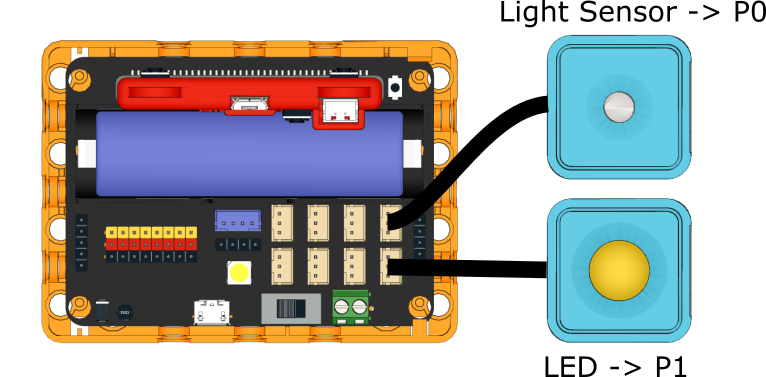
Sample Program
FutureBoard Program
KittenBlock Sample Program
Enable IoT server in KittenBlock and fill in the IP.
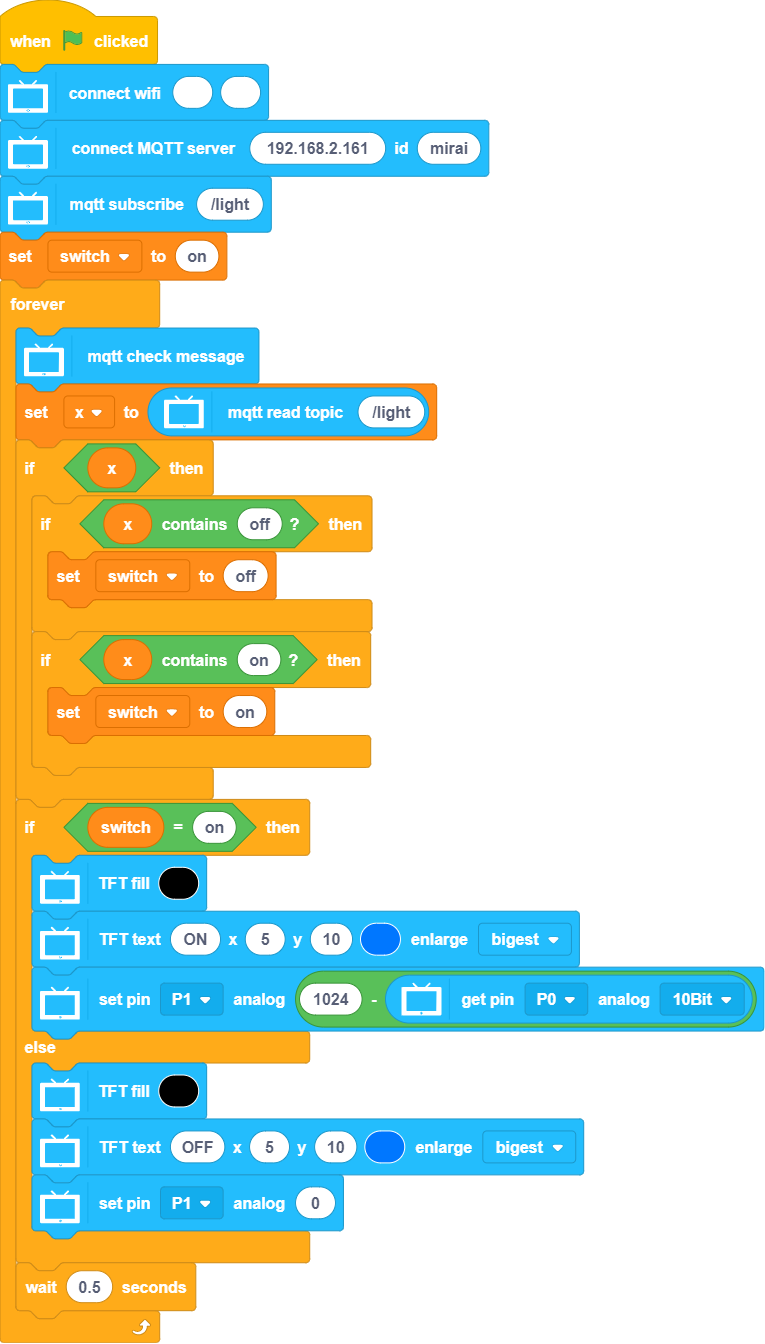
[Download Sample Program(Right Click->Save As)](https://github.com/kittenbothk/kittenbothk/raw/master/Kits/future_inventor/Programming Case/sb3/streetlamp.sb3)
Python Sample Program
#Enable IoT server in KittenBlock and fill in the IP.
#/bin/python

from time import sleep
from future import *
from sugar import *
import mqttsimple
P0 = MeowPin('P0', 'ANALOG')
P1 = MeowPin('P1', 'PWM')


x = 0
switch = 0


wifi.connect(str(""), "")

mqtt = mqttsimple.MQTTClient("192.168.2.161", "mirai",port=1883)
mqtt.connect()

mqtt.subscribe("/light")

switch = "on"

while True:
  mqtt.check_msg()
  x = mqtt.mqttRead("/light")
  if bool(x):
    if "off" in x:
      switch = "off"
    if "on" in x:
      switch = "on"
  if switch == "on":
    screen.fill((0, 0, 0))
    screen.text(str("ON"),5,10,3,(0, 119, 255))
    P1.setAnalog(1024 - P0.getAnalog(10))
  else:
    screen.fill((0, 0, 0))
    screen.text(str("OFF"),5,10,3,(0, 119, 255))
    P1.setAnalog(0)
  sleep(0.5)
[Download Sample Program(Right Click->Save As)](https://github.com/kittenbothk/kittenbothk/raw/master/Kits/future_inventor/Programming Case/py/streetlamp.py)
Kittenblock Program
Enable IoT server in KittenBlock and fill in the IP.
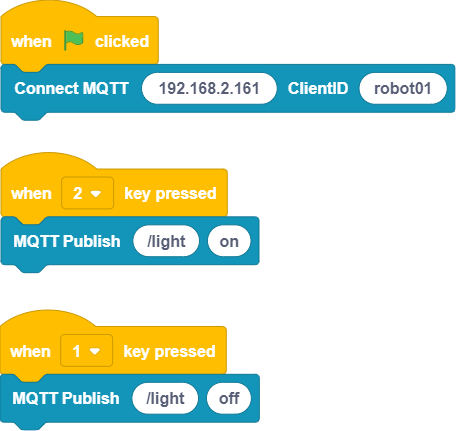
[Download Sample Program(Right Click->Save As)](https://github.com/kittenbothk/kittenbothk/raw/master/Kits/future_inventor/Programming Case/sb3/streetlamp_iot.sb3)
Program Instructions
Remotely turn on or off the streetlamp by using the KittenBlock Client Program, the streetlamp will adjust its brightness based on the environment brightness.